


|
Name |
Spatial Touch |
|---|---|
|
Google Play Link |
GET IT ON
Google Play
|
|
Category |
Tools |
|
Developer |
VTouch |
| Last version | 1.2.16 |
|
Updated |
|
|
Compatible with |
Android 7.0+ |
Introduction to Spatial Touch MOD APK
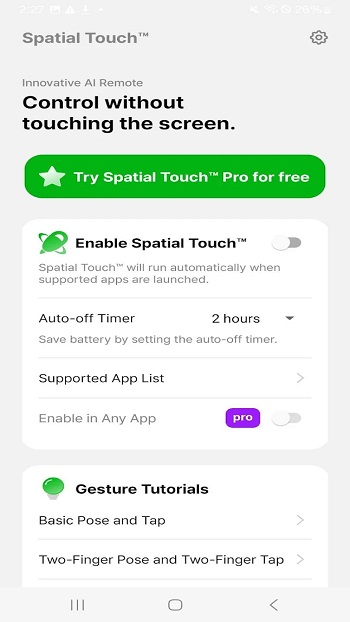
Spatial Touch MOD APK is an Android utility app made for touch-free phone control. It uses AI gesture recognition through your device camera, so you can manage supported apps with simple hand movements. The main idea is easy: control your screen from a short distance without tapping it every few seconds.
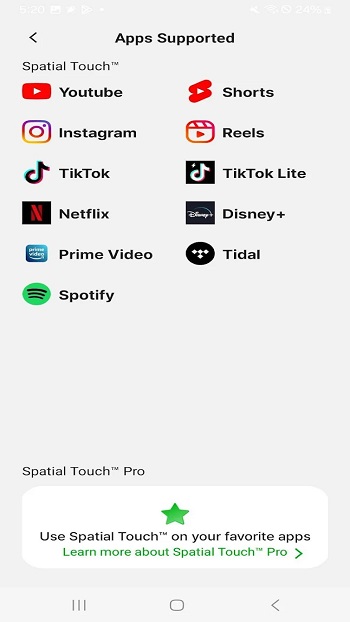
The app is mainly used for media, social apps, and video platforms. You can pause, play, skip, scroll, adjust volume, and move through content using air gestures. It feels especially useful when your hands are wet, oily, busy, or too far from the phone. Cooking with a recipe video open? This app saves your screen from becoming a fingerprint museum.
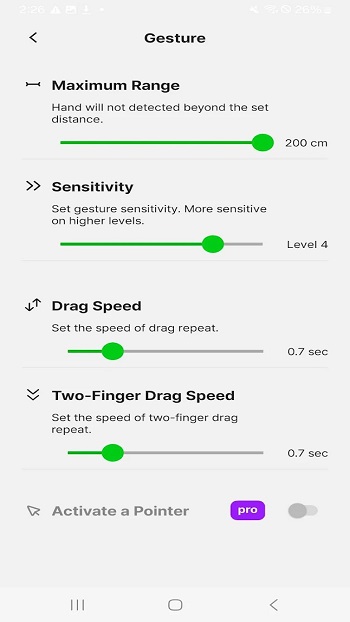
Its key feature is hand gesture control. Spatial Touch MOD can recognize movements like swiping, raising your hand, or making specific gestures to trigger actions. Some versions also support different control modes, sensitivity settings, and app-based behavior, helping users adjust the controls to match their habits instead of forcing one fixed setup.
The biggest benefit is convenience. You can control entertainment apps while lying on a sofa, eating, exercising, or following a tutorial. It can also help users who find repeated tapping uncomfortable. Since the app relies on the camera and AI recognition, good lighting and clear hand movement make a big difference.
There are a few limits to know. Gesture control may feel less accurate in dark rooms, busy backgrounds, or when the camera angle is poor. Some functions may need accessibility permission, depending on the version and control mode. Modified APK files can also vary by source, so users should check app safety, permissions, and device compatibility before installing.
This overview is written for Android users who want a clear, practical look at Spatial Touch MOD APK before trying it. The app suits people who watch videos often, use social apps hands-free, cook with their phone nearby, or want cleaner screen control in daily situations. It works best for simple media actions, not heavy tasks that need precise tapping or typing.
FAQs Spatial Touch
What is Spatial Touch MOD used for?
+
Spatial Touch MOD is used to control Android apps with hand gestures, mainly for video playback, scrolling, volume control, and media navigation without touching the screen.
How does Spatial Touch MOD APK work?
+
Spatial Touch MOD APK uses your phone camera and AI gesture recognition to read hand movements, then turns those gestures into actions like play, pause, swipe, or volume changes.
Which users can benefit from Spatial Touch MOD?
+
Spatial Touch MOD is useful for people who watch videos often, cook with their phone nearby, exercise with tutorials, eat while streaming, or prefer fewer taps on the screen.
Does Spatial Touch MOD need good lighting?
+
Yes. The app works better when the camera can clearly see your hand. Poor lighting, shaky movement, or a messy background may reduce gesture accuracy.
What should users check before installing Spatial Touch MOD APK?
+
Users should check permissions, device compatibility, APK source safety, and privacy details because modified APK files can differ from the official app version.
Discover More Interesting Apps
-
 Mod
Mod
Fake GPS
v5.8.10
13.73 Mb
Updated -
Game Booster 4x Faster Pro
v8.2.6
17.00 Mb
Updated -
Bubble Screen Translate
v4.5.5
71.59 Mb
Updated -
Mod
Ad Blocker
v7.6.12
38.00 Mb
Updated -
H4X Macro Game Booster Pro
v6.6.6
6.00 Mb
Updated -
Mod
DevCheck
v6.57
22.54 Mb
Updated -
Privacy Display
v1.9.0
10.09 Mb
Updated -
Free Fire Proxy Server Pro
v4.0
23 MB
Updated -
Proxy Server Free Fire Vpn
v2.127.9
94 MB
Updated -
Mod
Free Fire Max Panel
v5.0
72 MB
Updated










Share Your Thoughts